When a family cannot be at a funeral in person, the screen becomes their only window into the day. If that window is blurry, dark or silent, it can feel like a second loss. If it is clear, steady and gentle, it can feel like being in the room. That gap is why funeral live streaming video quality matters so much. It decides whether a distant relative feels included or left on the outside.
We are Funeral Livestream, and we have spent a great deal of time thinking about what makes a funeral broadcast look and sound right. In this guide, we explain the parts of good quality in plain English: camera work, framing, audio, lighting and the standards a professional team should follow. If you are comparing options, this will help you know what to look for and which questions to ask.
Why Quality Matters More at a Funeral
Most live streams are for entertainment or business. A funeral is different. There are no second takes and no chance to repeat a eulogy, a hymn or a final farewell. Everything happens once, and it matters deeply to the people watching.
Good quality is not about showing off. It is about respect. When the picture is steady, the words are clear and the camera stays calm, viewers can focus on the person being remembered rather than on the technology. In our experience, the best compliment a family can give is that they forgot the equipment was even there.
Quality also has a lasting effect. The recording often becomes a keepsake that families watch for years. A clear, well-made video is something you can treasure. A poor one can be hard to watch, even when the memories inside it are precious.
What “High Quality” Really Means
People often think quality means expensive cameras. It is more than that. Great funeral video quality comes from five things working together:
- Camera work: the type of camera and how it is used
- Framing: what the viewer sees and how it is arranged
- Audio: how clearly words and music are heard
- Lighting: how natural and kind the picture looks
- Production standards: the planning, backup and care behind the scenes
Think of it like a good meal. You need fresh ingredients, careful cooking and a calm kitchen. If one part is missing, the whole plate suffers. Let us look at each part in turn.
Camera Work: Steady, Quiet and Respectful
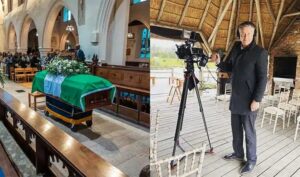
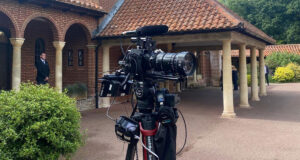
The camera is the most visible part of the setup, so it needs to be handled with care. A good funeral livestream camera does not have to be huge or flashy. What matters is that it produces a sharp picture and behaves well in a quiet room.
Picture Sharpness
Modern professional cameras can capture high definition video, which means faces, flowers and details look crisp on screen. A clear picture helps online guests read expressions, see photographs and feel closer to the room. Cheaper webcams and phone cameras often struggle in dim rooms, and the picture can turn grainy and soft.
Steady Shots
Shaky footage is tiring to watch. Professional teams use tripods or fixed mounts, so the image stays still. Any movement, such as a slow zoom, should be smooth and rare. In a funeral setting, less is more. A calm shot feels respectful.
Silent Operation
Some cameras hum, click or beep. In a hushed chapel, even a small noise can be distracting. Professional equipment is chosen and set up to run quietly, and operators know how to move without disturbing anyone.
Using More Than One Camera
A single camera is often enough for a small service. Two or three cameras give a richer view. One can focus on the celebrant or speaker, one can show the wider room and another can capture the family. Switching gently between them keeps the video interesting without being showy.
If you want to understand how the whole process fits together, you can read more about how our service works.
Framing: Deciding What the Viewer Sees
Framing is the art of choosing what appears on the screen. It is one of the biggest differences between amateur and professional filming.
The Main Focus
For most of the service, the viewer should see the person speaking or leading the ceremony. A steady, well-placed shot lets online guests follow the words and feel part of the moment.
Showing the Coffin and Flowers
Many families want online guests to see the coffin, the flowers and the photographs. A good shot includes these in a way that feels natural and gentle, without lingering in a way that feels intrusive.
Wide Shots and Close Shots
A wide shot gives a sense of the room and the people present. A closer shot brings warmth to a reading or a eulogy. Good operators know when to use each one, and they change shots slowly and quietly.
Respecting Privacy in the Frame
Some moments are deeply personal. Professional teams keep the camera away from mourners at their most vulnerable, unless the family has asked otherwise. They avoid close-ups of grieving faces and focus instead on the ceremony itself.
Keeping the Frame Clean
Small things matter. A good operator checks that nothing distracting sits in the background, such as a bin, a stack of chairs or a fire exit sign. Clean framing keeps the attention where it belongs.
Audio: The Part That Matters Most
Ask any expert, and they will tell you that viewers forgive a slightly soft picture faster than bad sound. If online guests cannot hear the eulogy, the day loses its meaning for them. That is why audio deserves the most attention.
Clear Speech
Speakers should be picked up with proper microphones, such as lapel microphones, handheld microphones or a feed from the venue’s own system. A phone or camera microphone placed at the back of a room usually picks up echo and background noise.
Music That Sounds Full
Hymns, songs and recorded music often sound thin when they are picked up by a single microphone. A professional team connects directly to the venue’s sound system, or uses suitable equipment, so that music sounds warm and balanced.
Managing Echo and Noise
Churches and chapels often have a lot of echo. Outdoor venues bring wind and traffic. A good team plans for this by choosing the right microphones, placing them carefully and using wind protection when needed.
Checking Levels
Sound levels should be tested before the service and watched throughout. A quiet reading should be as clear as a loud hymn. Professional teams monitor audio with headphones so that any problem is fixed quickly.
A Backup for Sound
Because sound is so important, it helps to have a backup microphone or recorder ready. If one fails, the other keeps going.
Lighting: Making the Picture Look Kind and Natural
Light shapes how the video feels. Good lighting is soft and even, and it makes people look natural. Poor lighting can turn a moving scene into a dark, harsh or washed-out one.
Working With What the Venue Has
Most funerals happen in rooms with their own lighting. A skilled team studies the space in advance and works with what is there. They avoid placing speakers in front of bright windows, because the picture will show only a dark shape.
Avoiding Harsh Lights
Large video lights would spoil the calm atmosphere of a funeral. Professionals rely on natural light and gentle room lighting wherever possible, and they choose cameras that perform well in low light.
Adjusting Through the Day
Light changes. Clouds move, the sun shifts and lights may be dimmed during a slideshow. A good operator keeps adjusting the camera settings so that the picture stays balanced from start to finish.
Outdoor Services
Gardens, woodland burial grounds and cemeteries bring their own challenges. Bright sun can create strong shadows, and rain can darken the scene. Experienced teams know how to protect equipment and keep the picture clear in changing weather.
Professional Production Standards
Behind every smooth broadcast is a lot of quiet preparation. This is what we mean by professional funeral filming, and it is often the difference between a stream that works and one that struggles.
Site Checks Before the Day
A professional team studies the venue, checks the internet and plans camera and microphone positions. Knowing the space in advance removes most of the surprises.
Reliable Internet and Backup
A frozen screen is the last thing a family needs. Good providers use a strong connection and prepare a backup, such as mobile data, so the stream stays steady. If you would like to know which locations we work in, please see our areas we cover page.
Testing Everything
Cameras, microphones, cables and links are all tested before guests arrive. The team also checks that the link works on phones, tablets and computers.
Early Arrival and Quiet Setup
A professional team arrives well before the service and sets up quietly. Families should never see cables being run or cameras being adjusted as they arrive.
Calm Monitoring During the Service
Throughout the broadcast, someone should be watching the picture, sound and connection at all times. If anything changes, they fix it quickly and calmly.
Respectful Manners
Standards are not only technical. Dark, neat clothing, quiet movements, kind words and a caring attitude are part of professional conduct. A funeral is not a normal filming job, and it should never feel like one.
A Clean Recording
A good team also records the service in high quality, so that the family receives a clear, complete video afterwards. The recording should start before the service begins and continue until the end, so nothing important is missed.
Quality Helps More People Take Part
High quality is not only about looks and sound. It is about access. When the picture is clear and the audio is easy to follow, older relatives, people with hearing difficulties and guests on small screens can all join in more comfortably. A well-made broadcast opens the door to people who might otherwise be shut out.
You can read more about this in our article on how funeral livestreaming makes services more accessible.
Simple Ways Families Can Help Improve Quality
Families play a part too. A few small steps can lift the quality of the broadcast:
- Ask speakers to use the microphone. Even soft voices carry better with one.
- Share the order of service early. It helps the team plan shots and sound levels.
- Tell the team about special moments. A live song, a slideshow or a poem reading may need extra planning.
- Check the seating. Try to keep the front and centre of the room clear for the camera view.
- Keep the room lights on. Even on a gloomy day, extra light helps the picture.
- Pick one family contact. This keeps messages simple and avoids confusion.
Conclusion: Quality Is a Form of Care
Good funeral video is not about fancy gadgets. It is about care. Steady camera work, thoughtful framing, clear sound, gentle lighting and professional standards all come together to make sure that every person watching feels close to the service, even from a long way away. When these details are right, technology fades into the background, and what remains is love, memory and connection. That is what great funeral live streaming video should always deliver.
If you would like to know more, or you are ready to arrange a livestream for a loved one’s service, we are here to help. Contact our team today and let us take care of the details, so you can focus on being with the people who matter most.
Frequently Asked Questions
1. What is funeral live streaming video?
Funeral live streaming video is a real-time broadcast of a funeral service over the internet. It lets family and friends who cannot attend watch from home, and it is often recorded so that it can be watched again later.
2. What makes a funeral streaming video high quality?
A high-quality video has a sharp, steady picture, clear sound, soft natural lighting and calm, respectful framing. It also depends on good planning, a stable internet connection and a backup plan.
3. Is audio more important than video?
In most cases, yes. Viewers can accept a slightly soft picture, but they cannot follow a service if they cannot hear the words. That is why microphones and sound checks are so important.
4. Can a phone be used for funeral live streaming?
It can work for very simple situations, but a phone often struggles with sound, low light and stability. A professional camera with proper microphones gives a much clearer and steadier result.
5. How many cameras are needed for a funeral livestream?
One camera is enough for small services. Two or three cameras give a fuller view, with different angles for the speaker, the room and the family. The right number depends on the venue and your wishes.
6. Will the cameras be distracting during the service?
They should not be. Professional teams use quiet equipment, place cameras at the back or side of the room and move as little as possible. Most guests forget the camera is there.
7. What if the venue has poor lighting?
A skilled team can still produce a clear picture by using cameras that perform well in low light and by making small adjustments to the room lights. Large, harsh lights are avoided to protect the calm atmosphere.
8. What happens if the internet connection is weak?
A good provider checks the connection before the day and brings a backup, such as mobile data. This keeps the stream steady and reduces the chance of interruptions.
9. Can parts of the service be kept private?
Yes. If the family would prefer that certain moments are not filmed, the team can adjust the view or pause the stream. Your wishes always come first.
10. Will I receive a recording of the funeral?
In most cases, yes. A recording lets you keep the service and share it with people who could not watch live. Ask your provider how and when it will be delivered.